Add a Preset Selector
Build a Selector that moves several other settings at once, and falls back to Custom when the player edits one of them by hand.
A preset selector is one row that sets several others. The player picks Low, Medium or High and the settings below it move to match; if they then change one of those settings by hand, the preset row falls back to Custom.
Gears has no preset setting type. You build one from a Selector and two listeners, so this guide needs C#. XML alone cannot make one setting change another.
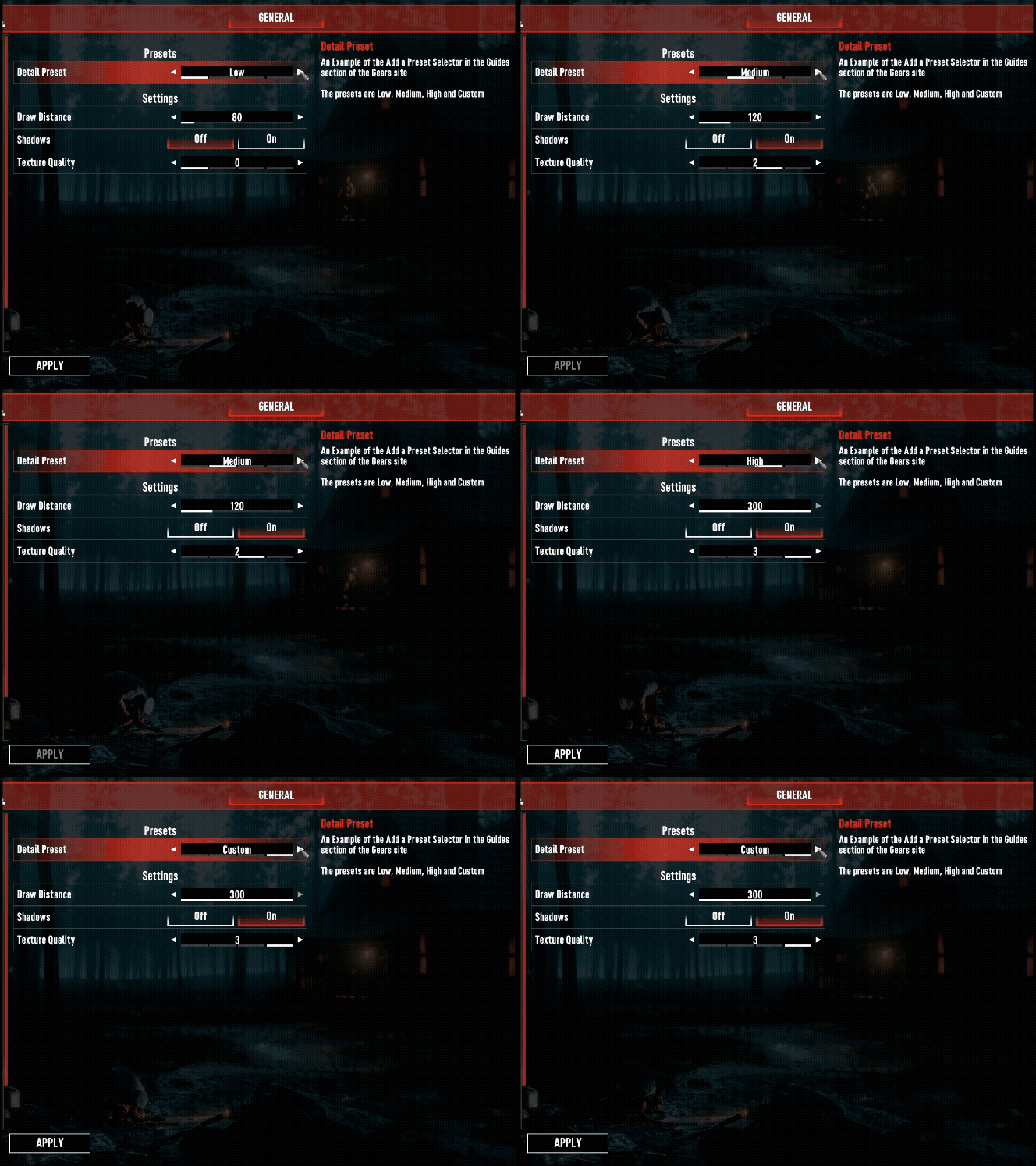
Before you start, read Bind Settings with Attributes for the attributes and setting paths used below, and Use Global Settings in C# for the three values every setting holds.
What you build
An enum with one member per preset, a Selector that uses it, and three settings the preset drives:
// MyMod is your own namespace. Declare Custom last so it sits at the end of the row.
public enum DetailPreset
{
    Low,
    Medium,
    High,
    Custom,
}
Declare the settings in XML
A Selector whose type names an enum starts with every declared member as its allowed values, in
declaration order, so it needs no <List>. <LocalizationPrefix> turns each member name into a
localization key, which is how the row reads "Low" rather than Low. See
Localize Your Settings.
<?xml version="1.0" encoding="utf-8"?>
<ModSettings version="2">
	<Global>
		<Tab name="General" displayKey="myModTabGeneral">
			<Category name="Display" displayKey="myModCatDisplay">
				<Selector name="Preset" displayKey="myModPreset" type="MyMod.DetailPreset" defaultValue="Medium">
					<LocalizationPrefix prefix="myModPreset_" />
					<Description key="myModPresetDesc" />
				</Selector>

				<Slider name="DrawDistance" displayKey="myModDrawDistance" type="int" defaultValue="120">
					<Incremental increment="10" minValue="50" maxValue="300" />
				</Slider>

				<Switch name="Shadows" displayKey="myModShadows" type="bool" defaultValue="true">
					<LocalizationPrefix prefix="myModOnOff_" />
				</Switch>

				<Selector name="TextureQuality" displayKey="myModTextureQuality" type="int" defaultValue="2">
					<Incremental increment="1" minValue="0" maxValue="3" />
				</Selector>
			</Category>
		</Tab>
	</Global>
</ModSettings>
Put the driven settings on the preset's tab
The settings window only tracks the rows on the tab it is showing. A driven setting on another tab still moves when the preset changes, but Apply never commits it and closing the window never puts it back. Keep every driven setting on the same tab as the preset. The same category is best, so the player sees the rows move.
Give the preset the defaultValue whose values match the driven settings' defaults. Here Medium
stands for 120, true and 2, which are the defaults above. Otherwise the first launch shows a preset
that does not describe its rows, and the Defaults button ends on Custom.
Each value the preset and the Shadows switch can show needs a row in Localization.csv, or the row
shows the raw key. A bool switch looks up its prefix followed by True or False. The other
displayKey values need rows too, as described in Localize Your Settings:
Key,File,Type,UsedInMainMenu,NoTranslate,english
myModPreset,UI,Menu,x,,Detail Preset
myModPresetDesc,UI,Menu,x,,Sets the three display settings below it together.
myModPreset_Low,UI,Menu,x,,Low
myModPreset_Medium,UI,Menu,x,,Medium
myModPreset_High,UI,Menu,x,,High
myModPreset_Custom,UI,Menu,x,,Custom
myModOnOff_True,UI,Menu,x,,On
myModOnOff_False,UI,Menu,x,,Off
Write the preset table
The table is plain C#. Gears never sees it.
// The values one preset stands for. Custom is absent on purpose: it means "whatever the
// player has chosen", so it has no values of its own.
private readonly struct Detail
{
    public readonly int DrawDistance;
    public readonly bool Shadows;
    public readonly int TextureQuality;

    public Detail(int drawDistance, bool shadows, int textureQuality)
    {
        DrawDistance = drawDistance;
        Shadows = shadows;
        TextureQuality = textureQuality;
    }
}

private static readonly Dictionary<DetailPreset, Detail> presets =
    new Dictionary<DetailPreset, Detail>
    {
        { DetailPreset.Low,    new Detail(80,  false, 0) },
        { DetailPreset.Medium, new Detail(120, true,  2) },
        { DetailPreset.High,   new Detail(300, true,  3) },
    };
Bind the four settings
The snippets below live on one static class, DisplaySettings, and reach the settings through
these fields. The whole thing shows the class with its BindSettingsClass call.
private const string PresetPath = "General.Display.Preset";
private const string DrawDistancePath = "General.Display.DrawDistance";
private const string ShadowsPath = "General.Display.Shadows";
private const string TextureQualityPath = "General.Display.TextureQuality";

[Setting(PresetPath)]
private static ISelectorGlobalSetting<DetailPreset> preset;

[Setting(DrawDistancePath)]
private static ISliderGlobalSetting<int> drawDistance;

[Setting(ShadowsPath)]
private static ISwitchGlobalSetting<bool> shadows;

[Setting(TextureQualityPath)]
private static ISelectorGlobalSetting<int> textureQuality;
Move the rows when the preset changes
Listen with [SettingOnSelectedChanged], which fires while the player is still in the menu, before
they press Apply. Set each driven setting's SelectedValue, then call RefreshUI() on it.
[SettingOnSelectedChanged("General.Display.Preset")]
private static void PresetSelected(IValueModSetting<DetailPreset> setting, DetailPreset newValue)
{
    if (!presets.TryGetValue(newValue, out Detail detail))
    {
        return;      // Custom, which stands for the values already on screen.
    }

    Select(drawDistance, detail.DrawDistance);
    Select(shadows, detail.Shadows);
    Select(textureQuality, detail.TextureQuality);
}

private static void Select<T>(IValueModSetting<T> setting, T value)
{
    setting.SelectedValue = value;
    setting.RefreshUI();
}
RefreshUI() is not optional
Assigning SelectedValue changes the value, but the settings window neither redraws the row nor
learns that the setting moved. Without
RefreshUI() the rows keep their old text on screen and
Apply commits only the preset row. With it, the row redraws, Apply commits every row the preset
moved, and closing the window without applying puts them all back.
Fall back to Custom
Listen to the same event on each driven setting. When one of them moves, the preset no longer describes what is on screen, so set it to Custom.
[SettingOnSelectedChanged("General.Display.DrawDistance")]
[SettingOnSelectedChanged("General.Display.TextureQuality")]
private static void DetailEdited(IValueModSetting<int> setting, int newValue)
{
    FallBackToCustom();
}

[SettingOnSelectedChanged("General.Display.Shadows")]
private static void ShadowsEdited(IValueModSetting<bool> setting, bool newValue)
{
    FallBackToCustom();
}
Guard against your own writes
The Select calls in the previous step assign SelectedValue, which raises OnSelectedChanged on
each driven setting, which reaches the handlers above. Without a guard the preset flips itself to
Custom the instant the player chooses Low, Medium or High.
A static flag is enough, because the events are raised inside the assignment rather than on a later frame:
// True while PresetSelected is writing the driven settings.
private static bool applyingPreset;

private static void FallBackToCustom()
{
    if (applyingPreset || preset.SelectedValue == DetailPreset.Custom)
    {
        return;
    }

    Select(preset, DetailPreset.Custom);
}
Wrap the three Select calls in PresetSelected so the flag is always cleared, including when one
of them throws:
applyingPreset = true;
try
{
    Select(drawDistance, detail.DrawDistance);
    Select(shadows, detail.Shadows);
    Select(textureQuality, detail.TextureQuality);
}
finally
{
    applyingPreset = false;
}
What the player sees
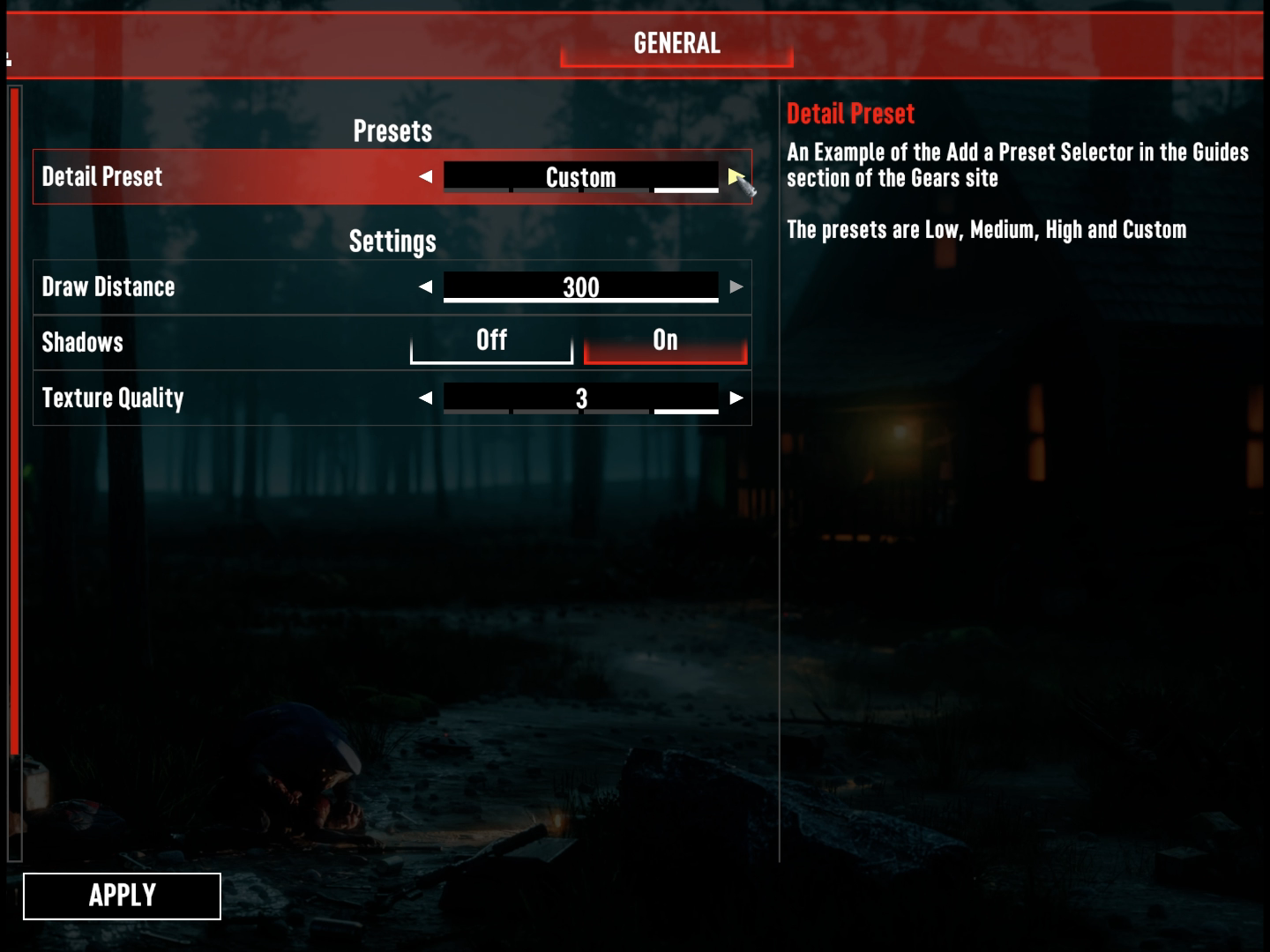
One Apply commits the preset and every row it moved, and Gears saves them together. Backing out of
the window instead puts every one of them back to its applied value. Both come from the
RefreshUI() calls; neither needs code of its own.
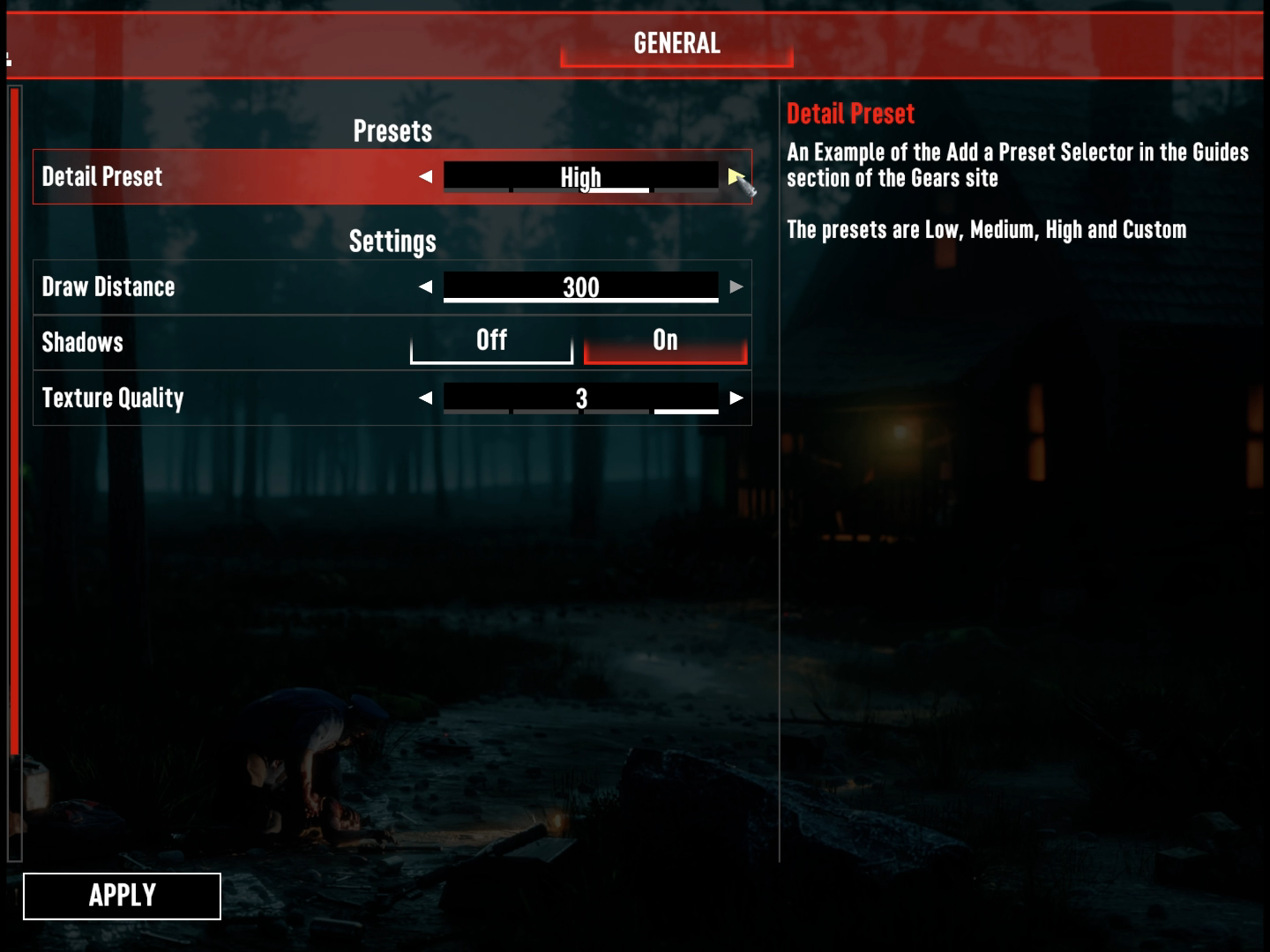
The next time the game starts, Gears restores each saved value on its own, the preset's included. None of your listeners run during that restore, and none needs to: the values Gears restores are the ones that were saved together, so they already agree.
Limits
- Do not gray the driven rows out while a preset is active. A disabled setting does not apply at all, so the preset would move the rows and then save nothing. See Make One Setting Depend on Another.
- Custom is a value like any other. Gears saves it, restores it and shows it in the row. If you would rather not offer it, leave it out of the enum and accept that the preset row keeps naming a preset whose values the player has since changed.
- World settings work the same way, with two-segment paths such as
"Display.Preset".[SettingOnSelectedChanged]is the only value listener Gears raises on a world setting, which is the one this guide uses. Put the world members on their own type, because eachBindSettingsClasscall resolves every path on the type it is given. See Use World Settings in C#.
The whole thing
using GearsAPI.Attributes;
using GearsAPI.Settings;
using GearsAPI.Settings.Global;
using GearsAPI.Settings.World;
using System.Collections.Generic;

namespace MyMod
{
    public enum DetailPreset
    {
        Low,
        Medium,
        High,
        Custom,
    }

    public class MyModGears : IGearsModApi
    {
        public void InitMod(IGearsMod modInstance)
        {
            modInstance.GlobalSettings.BindSettingsClass(typeof(DisplaySettings));
        }

        public void OnGlobalSettingsLoaded(IModGlobalSettings modSettings)
        {
        }

        public void OnWorldSettingsLoaded(IModWorldSettings worldSettings)
        {
        }
    }

    public static class DisplaySettings
    {
        private const string PresetPath = "General.Display.Preset";
        private const string DrawDistancePath = "General.Display.DrawDistance";
        private const string ShadowsPath = "General.Display.Shadows";
        private const string TextureQualityPath = "General.Display.TextureQuality";

        [Setting(PresetPath)]
        private static ISelectorGlobalSetting<DetailPreset> preset;

        [Setting(DrawDistancePath)]
        private static ISliderGlobalSetting<int> drawDistance;

        [Setting(ShadowsPath)]
        private static ISwitchGlobalSetting<bool> shadows;

        [Setting(TextureQualityPath)]
        private static ISelectorGlobalSetting<int> textureQuality;

        // True while PresetSelected is writing the driven settings, so the handlers below do not
        // read those writes as the player editing a row.
        private static bool applyingPreset;

        private readonly struct Detail
        {
            public readonly int DrawDistance;
            public readonly bool Shadows;
            public readonly int TextureQuality;

            public Detail(int drawDistance, bool shadows, int textureQuality)
            {
                DrawDistance = drawDistance;
                Shadows = shadows;
                TextureQuality = textureQuality;
            }
        }

        private static readonly Dictionary<DetailPreset, Detail> presets =
            new Dictionary<DetailPreset, Detail>
            {
                { DetailPreset.Low,    new Detail(80,  false, 0) },
                { DetailPreset.Medium, new Detail(120, true,  2) },
                { DetailPreset.High,   new Detail(300, true,  3) },
            };

        [SettingOnSelectedChanged(PresetPath)]
        private static void PresetSelected(IValueModSetting<DetailPreset> setting, DetailPreset newValue)
        {
            if (!presets.TryGetValue(newValue, out Detail detail))
            {
                return;
            }

            applyingPreset = true;
            try
            {
                Select(drawDistance, detail.DrawDistance);
                Select(shadows, detail.Shadows);
                Select(textureQuality, detail.TextureQuality);
            }
            finally
            {
                applyingPreset = false;
            }
        }

        [SettingOnSelectedChanged(DrawDistancePath)]
        [SettingOnSelectedChanged(TextureQualityPath)]
        private static void DetailEdited(IValueModSetting<int> setting, int newValue)
        {
            FallBackToCustom();
        }

        [SettingOnSelectedChanged(ShadowsPath)]
        private static void ShadowsEdited(IValueModSetting<bool> setting, bool newValue)
        {
            FallBackToCustom();
        }

        private static void FallBackToCustom()
        {
            if (applyingPreset || preset.SelectedValue == DetailPreset.Custom)
            {
                return;
            }

            Select(preset, DetailPreset.Custom);
        }

        private static void Select<T>(IValueModSetting<T> setting, T value)
        {
            setting.SelectedValue = value;
            setting.RefreshUI();
        }
    }
}
MyModGears is the class Gears finds and instantiates. DisplaySettings holds the bound settings
and the listeners, and Gears never constructs it; every member on it must be static. Nothing scans
for these attributes until BindSettingsClass runs.